
The interesting question about a WordPress release is rarely what it adds. It is what stops needing to be built, bought, or babysat. On that measure, 7.1 pays out across four areas at once: styling, plugins, media infrastructure, and content review.
Navigation That Stays Put
The admin bar now follows across the entire admin experience, including every editor. When writing a post or editing a site design, moving between the two, the bar stays in place along with the tools attached to it. A few small visual updates come with it.
Small as that may sound, persistent navigation removes a category of friction that content teams face dozens of times a day. Losing familiar chrome on entering an editor means rebuilding a mental map on the way out, and that cost multiplies across a large editorial operation.
Responsive Styling Moves Into the Editor
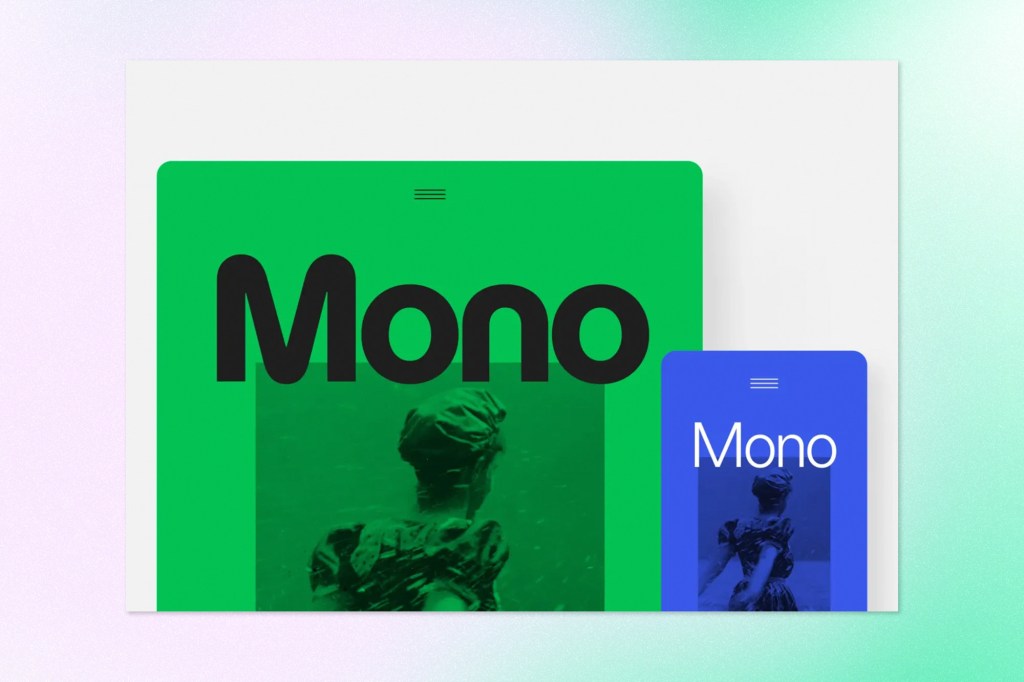
WordPress 7.1 brings responsive controls directly into the Site Editor. Block appearance can be styled at different screen sizes from Global Styles or from individual block settings, with no custom CSS involved. Changes can also be previewed at different viewport sizes during the work itself, which closes the loop between making a decision and seeing its effect.
This joins the show and hide options already available for blocks, so a layout can now adapt rather than simply disappear at smaller widths. For teams that have been maintaining stylesheets purely to handle a handful of breakpoint quirks, that is a meaningful reduction in surface area.
Breakpoints That Belong to the Theme
Block themes can define their own mobile and tablet breakpoints in theme.json, overriding the defaults used by responsive styles and block visibility. Design systems built around specific widths no longer have to bend toward the platform’s default.
Media Finally Gets a Workflow of Its Own
One Modal for Cropping, Flipping, and Rotating
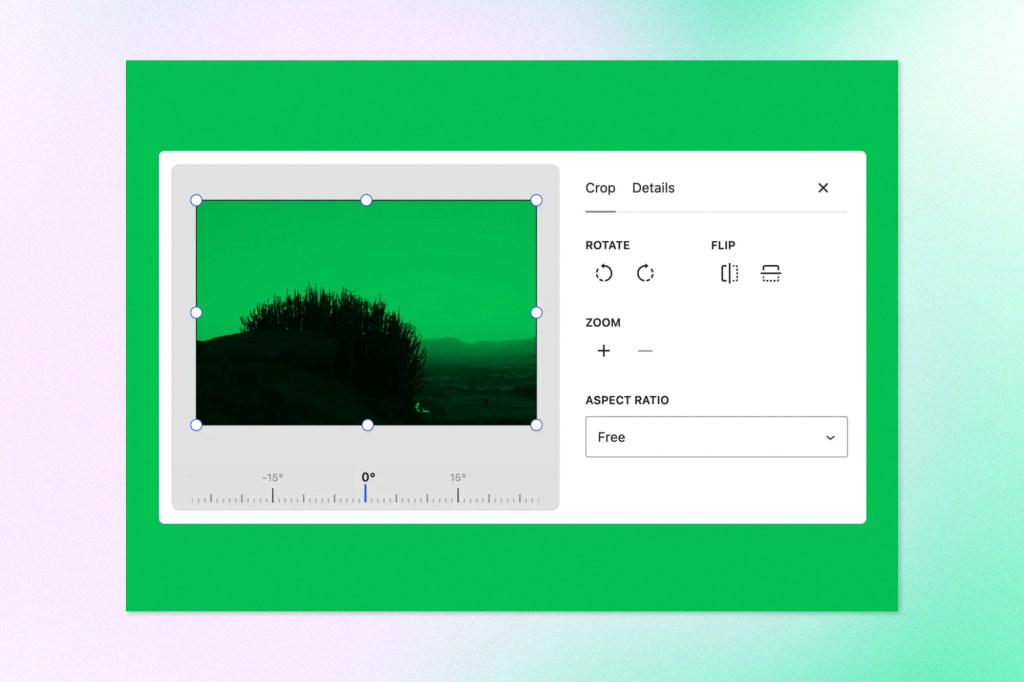
A dedicated media editor modal replaces the previous inline cropping tool. Freeform and aspect-ratio cropping, horizontal and vertical flipping, fine-grained and snap rotation, and metadata editing now sit together in one place. The Crop button remains the way in, so nothing has to be relearned to find it.
Consolidation like this tends to be underrated. Scattered controls create scattered habits, and a single workflow makes it far more likely that images get handled properly rather than shipped as whatever came off the camera.
Processing Shifts to the Browser
Image compression, resizing, and thumbnail generation now happen in the browser through a WebAssembly build of libvips. Server load drops, and the resulting files come out smaller.
What Changes for Larger Uploads
PHP memory limits and upload timeouts have been a familiar failure point for anyone managing image-heavy sites. Moving that processing off the server sidesteps both. On editorial sites where contributors upload straight from a phone or a full-frame camera, the difference shows up as fewer stalled uploads and fewer support requests.
Formats Modern Cameras Already Produce
Native support now covers AVIF, HEIC, and HDR gain maps. Those are the formats phones and cameras have been producing for years, and closing that gap removes a conversion step that most editorial workflows were absorbing manually.
Notes Become a Real Review Tool
Notes are no longer confined to the block level. A note can be attached to a specific piece of text, multiple conversations can run on the same block, and longer notes can be collapsed so the margin stays readable.
Rich text support brings bold, italic, code, and links into notes, and typing @ mentions a collaborator and sends them a notification. The result is closer to how review actually happens, which is messy, threaded, and often about one sentence rather than one section. Anyone who has watched a content review migrate into a spreadsheet or a chat thread because the CMS could not hold the conversation will recognize what is being solved here.
Two New Blocks and More Ways to Customize
Playlist
The Playlist block gathers multiple audio tracks into one player, with an optional waveform that gives listeners a visual read on each track as it plays. Podcast publishers and media sites have generally reached for a plugin to do this.
Tabs
The Tabs block organizes content into tabbed panels rather than presenting everything at once. Documentation, specification tables, and comparison content all benefit from being able to breathe.
Custom Icons and Interactive Button States
Developers can extend the icon library with their own collections, making custom icons available throughout the editor alongside the built-in set. Button blocks can now carry distinct styles for hover, focus, and active states directly in the editor’s style controls, applied to a single button or to all of them.
A Quieter Change With Wide Consequences
The post editor is now fully iframed for all themes, matching the Site Editor. The editing canvas runs separately from the WordPress admin interface, so admin styles no longer bleed into content. Viewport relative units and media queries target the editing canvas directly, which makes responsive layouts behave predictably while they are being built.
Most editors will never notice this change, and that is the point. Rendering discrepancies between the editor and the front end have quietly eroded trust in visual editing for years. Removing the cause is worth more than any feature announcement.
The Developer’s Toolbox in 7.1
The SVG Icon API Goes Public
The SVG Icon API is now a public API. Icon collections and individual icons can be registered and used throughout the editor through wp_register_icon_collection(), wp_register_icon(), and wp_get_icon(). Brand icon sets can live inside the platform rather than beside it.
The Abilities API and the Automation Layer
The Abilities API builds on infrastructure introduced in WordPress 6.9, adding a filterable execution lifecycle, custom validation, and shared discovery.
Why This Matters for AI Tooling
Those three additions are what turn a capability registry into something an external system can rely on. Filterable lifecycles allow behaviour to be adjusted without forking, custom validation guards the boundary where automation touches content, and shared discovery gives a machine consumer a way to learn what a given site can actually do. Integrations and automation get easier to build on top of WordPress, AI-powered tooling included, and organizations weighing agentic capability against governance requirements now have a defined surface to reason about.
A Design System for the Admin
A new Design System provides foundational support for theming WordPress admin interfaces, covering colour, roundness, and cursor styles. Semantic design tokens and a ThemeProvider React component let custom admin interfaces stay internally consistent while still feeling native to WordPress. Enterprises running bespoke admin screens for editorial or operations teams have been solving this problem individually for a long time.
More Control Through theme.json
Theme authors gain responsive styling and pseudo-state styling for hover, focus, focus visible, and active states through theme.json. New filters also allow configuration of the DataViews and DataForm screens that power Pages, Templates, Parts, and Patterns in the Site Editor, which opens up the list and form experiences that editorial teams live inside every day.
Accessibility Work Continues
New wp_get_tooltip() and wp_get_toggletip() functions bring accessible tooltips to more areas of the admin, including post meta boxes and the login screen. Screen reader support improves across admin interfaces through clearer labelling and more predictable navigation in post list tables. The new Tabs and Playlist blocks arrive with accessibility considered rather than retrofitted, and editor navigation and interaction improve alongside.
For public sector organizations, universities, and anyone operating under AODA or ADA obligations, incremental core accessibility work reduces the remediation burden that otherwise lands on custom code and third-party plugins.
Performance and Upload Resilience
Beyond browser-side image processing, 7.1 adds opt-in GIF-to-video conversion, which typically produces smaller files. Upload progress indicators and automatic retries make uploads more resilient when a connection drops, a common frustration for contributors working on mobile networks.
The Media Library now uses infinite scrolling by default, with a per-user option to return to pagination. Speculative loading defaults can be set through environment variables or constants, so hosts and site owners can configure prefetching behaviour without writing a plugin.
The People Behind 7.1
The release came together under Release Lead Anne McCarthy, with release coordination from Benjamin Zekavica and Krupa Nanda, tech leads Aki Hamano and Joe Dolson, triage leads Adrian Duffell, Sajjad Hossain Sagor, and Sergey Biryukov, and test leads Huzaifa Al Mesbah and Nikunj Hatkar.
More than 800 contributors from around the world worked on this release, including over 170 first-time contributors, delivering more than 1,500 enhancements and fixes. That ratio of newcomers to total contributors says something about the health of the project. A community that keeps absorbing new people is a community still capable of the kind of reinvention the release name points toward.
Next Steps With Trew Knowledge
WordPress 7.1 is a maintenance release in the useful sense of the word. Not that it fixes bugs, but that it lowers what maintenance costs. Navigation that stays consistent, media handling that behaves, review conversations that happen where the content lives, and a developer surface that treats automation and design consistency as first-class concerns. None of it is loud, and all of it compounds across a large site with a lot of people touching it.
Getting the benefit is a separate question from the release existing. Responsive styling, the Abilities API, and the admin Design System all reward organizations that have their theme architecture, governance, and editorial workflows in reasonable order, and they expose the ones that do not.
Trew Knowledge builds and maintains enterprise WordPress platforms and helps organizations put AI to work inside them responsibly. Teams rethinking a theme around the new responsive and design token capabilities, or evaluating what the Abilities API means for their automation roadmap, can get in touch to start that conversation.