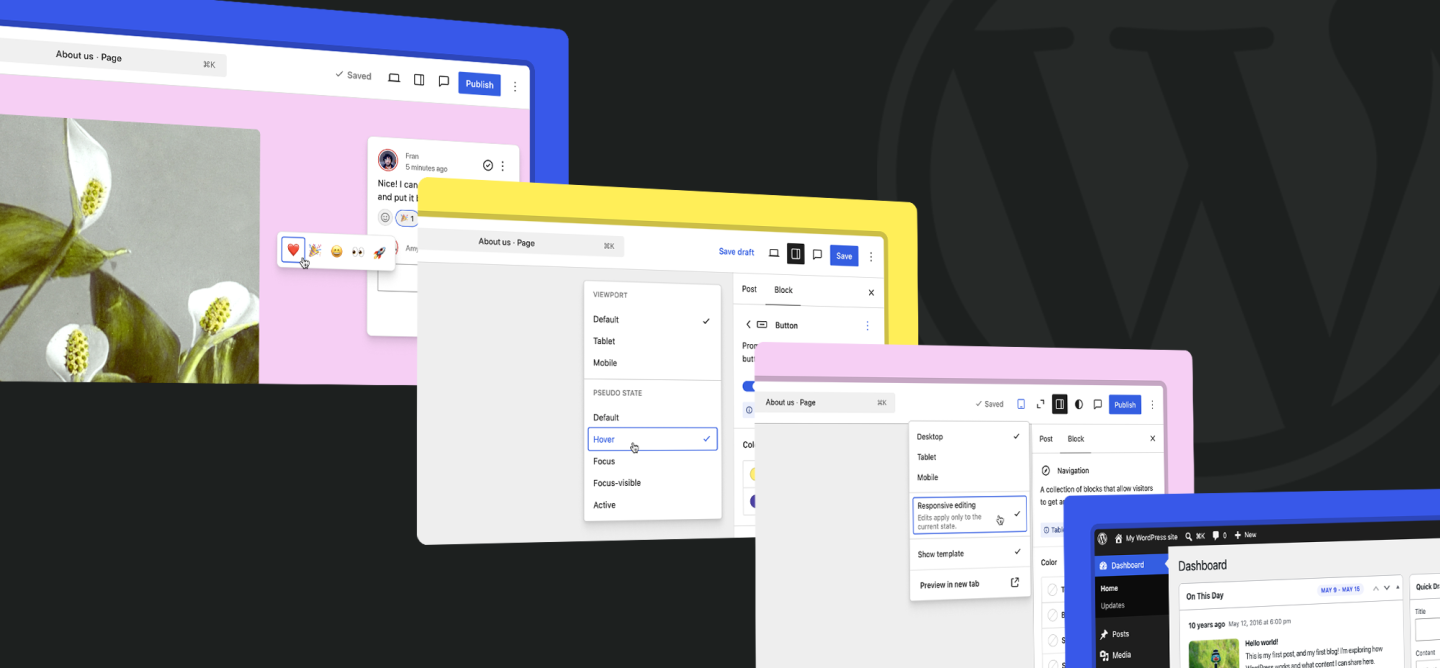
Most enterprise editorial work happens outside WordPress. Review runs through Slack and email. Brand guidelines sit in a PDF from the last rebrand. Image cropping happens in another tool entirely. WordPress 7.1 pulls several of those jobs back into the CMS.
The release ships August 19, 2026 and is still in beta, so the roadmap can change. What has landed so far covers editorial collaboration, styling controls, media processing, performance, developer APIs, and two security fixes.
Review Moves into the Editor
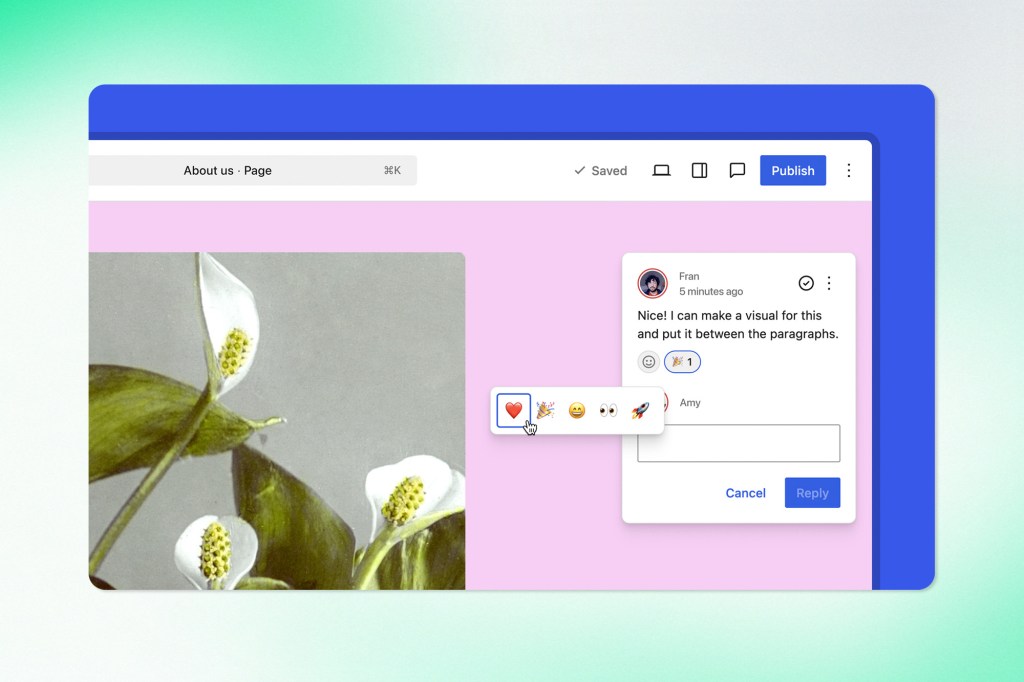
The Notes system gains Suggestion Mode. Collaborators propose changes inline instead of describing them somewhere else. Emoji reactions handle the lighter end of the same problem, where a comment needs acknowledgement rather than a written reply.
The current alternative is familiar. A reviewer pastes a sentence into Slack. Someone answers in a shared doc. A third person edits the page directly. Three versions of the paragraph now exist, and nothing records why any of them changed.
Suggestion Mode keeps the proposal and the discussion attached to the content. A content owner can see what was suggested, who responded, and whether it was accepted. Teams spread across time zones get context that travels with the work instead of context that dies in a handoff.
None of this replaces Jira or a formal approval workflow. It removes a few of the translation steps between them.
Guidelines Put Brand Rules Where the Work Happens
The new Guidelines feature creates a structured place inside WordPress for editorial rules, brand preferences, and tone guidance. It also connects to AI-assisted workflows, where those encoded preferences can hold voice consistent when an AI tool drafts.
Most organizations have guidelines already. They sit in a PDF nobody opens or a deck from the last rebrand, which is how a thorough style guide ends up with no influence over daily publishing.
The governance case is strongest at scale. A university with hundreds of editors across faculties, a bank with legal requirements on every page, a newsroom publishing continuously, a healthcare network standardizing terminology across service lines. None of those can run on memory.
The AI case is more specific. A model handles grammar and industry terminology. It has no way to know the approved name of a program, the required disclaimer for a service, or the tone a brand expects. Guidelines makes that context available to the tool instead of leaving it in the prompt of whoever happens to be drafting.
Responsive Controls and Pseudo-States Arrive in the Site Editor
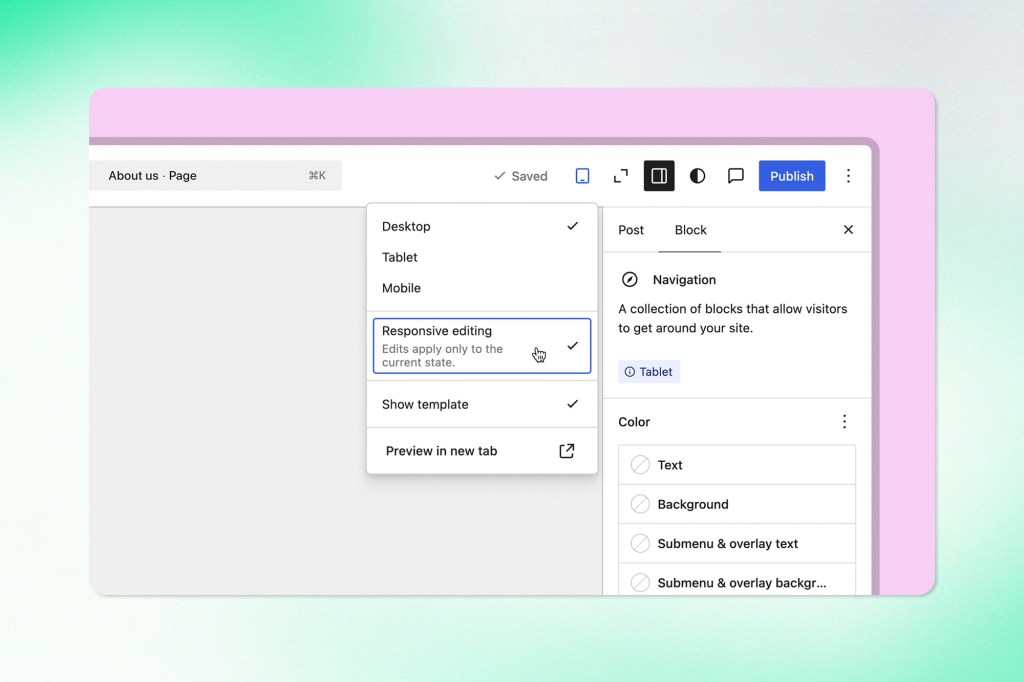
WordPress 7.1 expands responsive controls for desktop, tablet, and mobile, and adds pseudo-state controls for hover, focus, and active states.
Both have been developer territory. A heading that dominates a phone screen or a section gap that looks excessive on mobile has meant custom CSS or a theme change, which puts a ticket between spotting a visual problem and fixing it.
Pseudo-states carry accessibility weight. Keyboard users depend on focus styling to know where they are on a page. Handling hover, focus, and active states through shared controls also makes them part of the design system rather than something recreated page by page.
The controls are only as safe as the design system exposing them. A well-built theme surfaces a limited set of options, not raw CSS.
Navigation Gets Less Fragmented
A new Identity section in the Site Editor centralizes site title, logo, favicon, and publisher information. The Command Palette surfaces recent and suggested commands. The admin bar stays available across editor screens.
Small changes against a real complaint. Site identity sits in one place, template editing in another, content editing in a third, and shortcuts vanish as the interface shifts underneath. A persistent admin bar gives a fixed reference point across all of it.
The On This Day dashboard widget surfaces content published on the same date in previous years. For publishers with deep archives, it is a low-effort way to surface an article worth updating or a seasonal topic ready to return.
Media Processing Starts Moving to the Browser
Two media changes ship in 7.1. Free-form cropping lands in the media interface, so editors define a crop area directly instead of working around fixed dimensions. A feature photo that also has to work as a card, a social preview, and a banner no longer needs a round trip through another tool.
Client-side image processing is the larger change, and it is experimental. WebAssembly lets the browser generate image sub-sizes and handle AVIF, WebP, HEIC, Ultra HDR, and JPEG XL. WordPress has always done this work on the server, where one large upload can spawn several derivative versions and consume real CPU and memory. Moving part of it onto the uploader’s device eases pressure during heavy upload periods and improves resilience when server resources are tight.
This one needs careful testing. Any plugin customizing media ingestion, metadata, image optimization, or external storage sits directly in the path of the change.
Speculative Loading Gets More Assertive
When WordPress 7.1 detects both page caching and object caching, it switches to a more moderate speculative loading mode and prefetches or prerenders likely next pages more readily.
The target is perceived speed, the delay between a click and a visible response. Server response time does not improve. The transition feels faster because some of the work already happened.
The caching condition is the whole design. Speculative loading generates extra requests, and a site without solid caching pays more than it gains.
PHP still sets the floor: 7.4 minimum, 8.3 recommended, with full support for newer PHP 8 releases in recent WordPress versions. Core improvements cannot outrun an old PHP environment, thin caching, or inefficient queries.
React 19 is Deferred, the Cleanup is Not
React 19 was considered for 7.1 and pushed. The release stays on React 18.3, with the Gutenberg plugin serving as the testing ground for React 19 compatibility.
The preparatory work still applies. render(), hydrate(), and unmountComponentAtNode() have been removed from the WordPress abstraction. Code depending on them needs to move to createRoot(), hydrateRoot(), and root-level unmounting.
Most sites will never notice. Exposure concentrates in custom block libraries and heavily tailored editorial interfaces, particularly anything bundling its own JavaScript runtime.
Unicode email and username support was deferred as well. WordPress 7.1 does not extend default email validation to internationalized addresses, so integrations should not assume it accepts every Unicode format.
What to Test Before Upgrading
No broad plugin incompatibility has been confirmed. Four areas warrant attention:
- Block editor plugins, for React usage
- Block themes, against responsive styling and the new Global Styles behaviour
- Media plugins, because client-side processing changes where part of the upload workflow runs
- Custom code touching patterns, author links, DataViews, DataForm, or editor settings
Two Security Fixes, Already Patched Elsewhere
WordPress 7.1 Beta 2 includes fixes for two vulnerabilities addressed in the 7.0.2 security release. CVE-2026-63030 is a critical issue in the REST API batch endpoint with the potential to contribute to remote code execution. CVE-2026-60137 is SQL injection through the author__not_in parameter. The two can be chained.
Protection arrived through 7.0.2, 6.9.5, and 6.8.6. The 7.1 beta picked up the fixes afterward. Holding out for a major release while a patch already exists on the current branch leaves the window open for nothing.
The operational question is larger than two CVE numbers. A vulnerability turns dangerous when nobody knows which sites are affected, who owns the update, whether backups are current, or how fast production can be tested. A platform with visibility into core versions, plugin versions, hosting environments, and deployment ownership can evaluate a patch, reproduce production, validate, and ship. A platform without that structure stays exposed because it cannot move.
The Upgrade is a Platform Review
WordPress 7.1 touches editorial workflows, design systems, asset pipelines, custom blocks, integration architecture, and patch discipline. A platform with current dependencies, documented integrations, automated tests, staging environments, and clear ownership can take it on its own schedule. A platform assembled from unmaintained plugins and undocumented customizations spends its budget on discovery before it can plan anything.
Preparation before August 19 is concrete: audit custom block code for the removed React methods, test media plugins against client-side processing in staging, confirm the caching configuration speculative loading depends on, and patch the current branch now rather than waiting for the major release.
Trew Knowledge builds and manages enterprise WordPress platforms that can absorb releases like this without drama. Start a conversation with our experts.