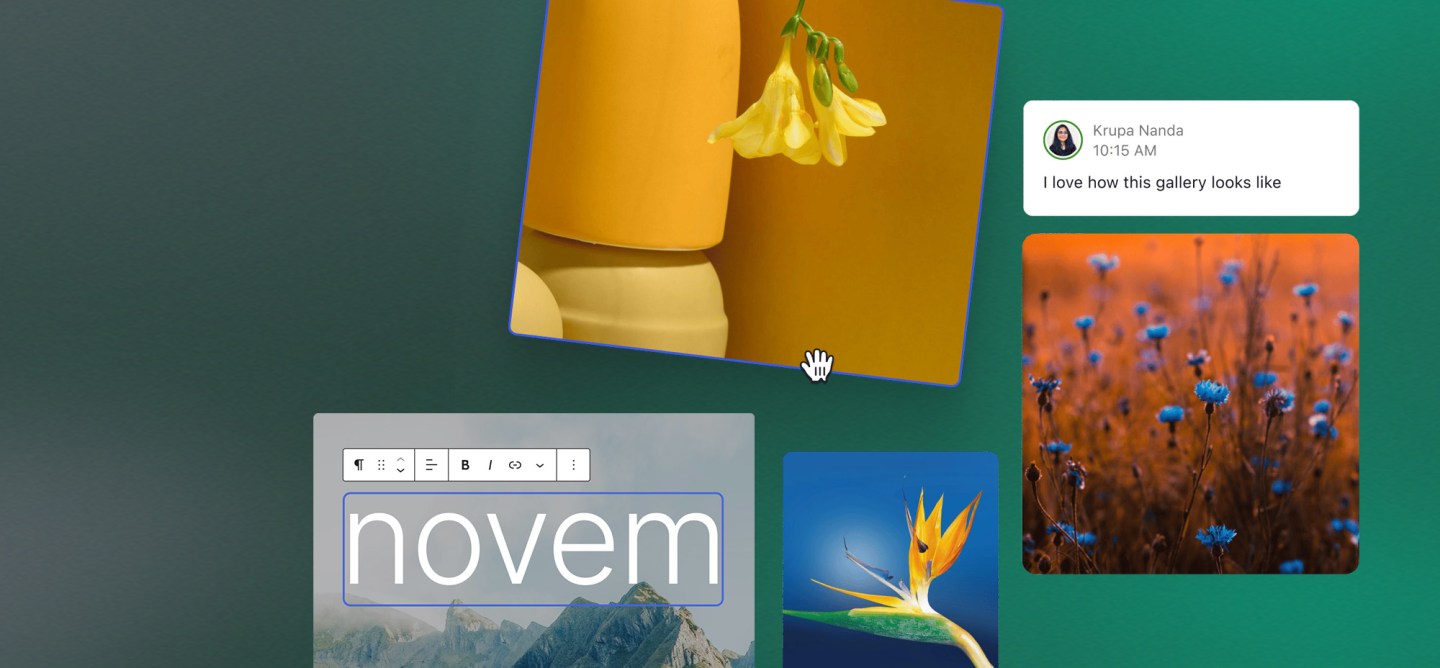
WordPress 6.9 lands at an interesting moment. Digital teams are asking more from their platforms than simple publishing. Collaboration, automation, and intelligent assistance now sit beside themes and plugins in planning discussions. That context makes this release more than a routine update.
Version 6.9, code-named “Gene,” arrived on 2 December 2025 as the final major WordPress release of the year. It concentrates on three big ideas: collaborative editing through Notes, faster and more coherent navigation with a universal Command Palette, and an AI-ready core through the new Abilities API, alongside significant performance and accessibility improvements.
Rather than chasing a single flagship feature, WordPress 6.9 quietly rearranges the foundations. Editorial work becomes more conversational, the dashboard feels lighter under the cursor, and the platform’s internals prepare for AI-driven integrations.
How 6.9 Positions WordPress for the 2026 Roadmap
Seen in isolation, 6.9 is a stable, feature-rich release. In the broader roadmap, it sets up the next phase of the project. Block-level collaboration lays the groundwork for a more multi-user editor. The Command Palette creates a neutral surface where future capabilities can appear as “actions,” regardless of where they live in the interface. The Abilities API gives AI systems a structured way to discover and execute those actions. The result is a platform that remains familiar but feels more prepared for the next wave of demands from content, product, and engineering teams.
Collaboration Inside the Block Editor: Notes in 6.9
What Notes Actually Are and How They Work
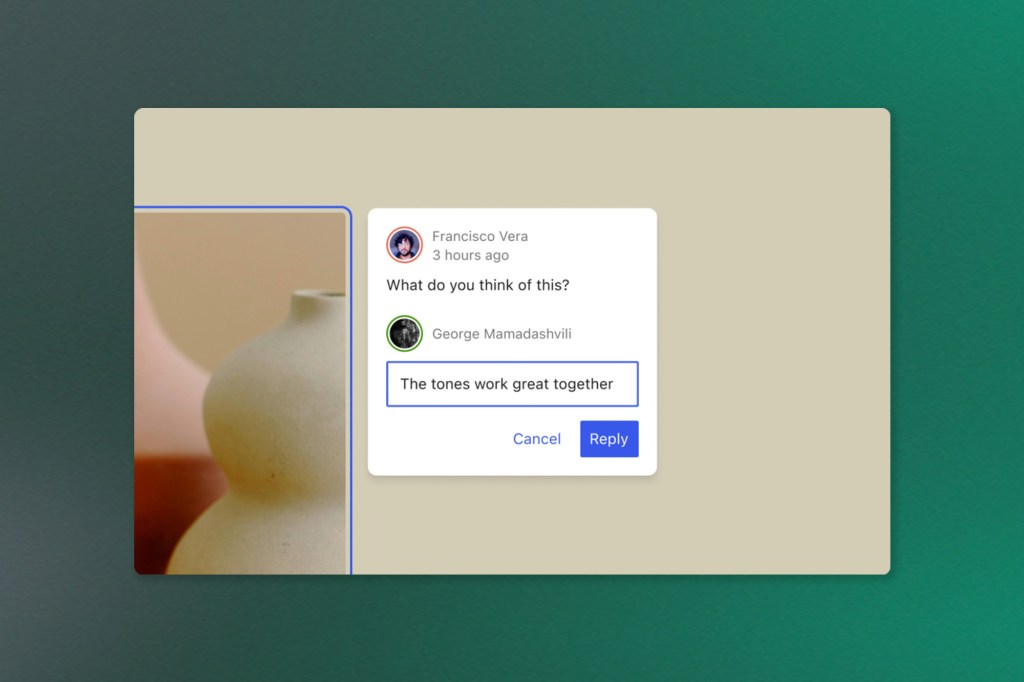
Notes are the headline feature of WordPress 6.9. Instead of feedback floating around in emails, chat threads, or external documents, comments can now attach directly to individual blocks inside the editor.
A note can be opened on a paragraph, image, button, or any other block. Team members respond in a thread, resolve the discussion when it is complete, and reopen it if a topic resurfaces. The context never leaves the page or post. Email notifications tie into this flow so that authors and reviewers stay informed when new input arrives.
How Block-level Comments Change Editorial Workflows
This feature turns the editor into a shared workspace instead of a solo drafting tool. Content designers can comment on structure and headings, brand or UX teams can weigh in on messaging, and legal reviewers can mark specific phrases. Everything happens inside the same view where changes are made.
Compared to generic comments on a document, block-level Notes remove ambiguity about what each comment refers to. There is less time spent interpreting feedback, and more time spent adjusting content. For large editorial operations, this creates a clearer review path and reduces the friction between drafting, reviewing, and shipping.
Governance and Accountability Benefits
Notes also have governance implications. Feedback becomes part of the record of a page. Threads show who raised concerns, how they were addressed, and when they were resolved. That history is useful when content touches regulated topics, sensitive claims, or high-stakes campaigns.
For distributed teams, especially those spread across time zones, asynchronous collaboration inside WordPress reduces reliance on meetings. Editors, marketers, and stakeholders can work through changes at suitable moments rather than in real-time sessions, without losing traceability.
Navigating Faster: Command Palette Across the Dashboard
From Hidden Power User Feature to the Everyday Control Centre
Earlier versions of WordPress introduced a Command Palette inside the Site Editor. In 6.9, it expands across the full dashboard. The palette appears from anywhere in the admin when a keyboard shortcut is pressed. From there, it becomes possible to search for screens, run actions, and jump directly into templates, posts, settings, or tools. The experience resembles the quick command interfaces that have become common in modern design tools and code editors.
Shortening the Distance Between Intent and Action
For teams that live inside WordPress, navigation costs add up. Each extra click between an intention and the place where work happens is a tiny delay. A universal Command Palette trims that overhead.
Instead of hunting through nested menus, an editor can type the name of a template or pattern and move straight there. A developer can search for a specific settings screen. A site manager can run less frequent tasks without remembering their exact location. The benefit compounds as the number of post types, plugins, and configuration pages grows.
Creative Control: New Blocks and a Smoother Editing Experience
Accordion, Math, Time to Read, and Richer Post Meta
WordPress 6.9 expands the core block library, reducing reliance on ad hoc custom code or plugin-provided equivalents. Among the notable additions are:
- An Accordion block for collapsible content, ideal for FAQs, long documentation pages, or sections that benefit from progressive disclosure.
- A Math block that renders equations, giving education, research, and financial sites a native way to present notation clearly.
- A Time to Read block that estimates reading time based on content length, a familiar pattern in modern publishing that sets expectations for visitors.
- Blocks for comment count and comment links that enrich post meta and provide more flexible layouts for engagement signals.
Alongside new blocks, existing ones gain refinements. Typography options broaden, heading controls become more predictable, and background and padding behaviour on text blocks become easier to manage consistently.
Better Drag and Drop, Hidden Blocks, and Focused Editing Modes
6.9 also tackles friction in the everyday editing flow. Drag and drop has been a recurring pain point for many site builders. In this release, visual feedback and hit areas improve, which makes moving blocks feel closer to other modern editors.
Blocks can now be hidden on the front end while remaining visible in the editor. This is especially helpful when preparing seasonal content, variant layouts, or drafts that need more review. Content can sit “behind the curtain” without being duplicated into separate post versions.
The Site Editor itself gains a clearer distinction between content-focused editing and full layout control. For some roles, a streamlined mode that emphasises copy and media is enough. For others, complete access to templates and global styles remains available. That separation reduces accidental changes to structural elements while still keeping power close at hand.
Small UX Refinements That Add Up Over Time
Many updates in 6.9 are subtle. Icon consistency improves, admin search behaves more predictably, and design controls in blocks are less surprising. None of these changes will dominate a release headline, yet together they shift the editor from “acceptable” to “comfortable,” particularly for teams spending hours each week inside it.
Performance Gains Under the Hood
Frontend Improvements for Core Web Vitals
Performance work in WordPress has become iterative across recent releases, and 6.9 continues that pattern. The Frontend Performance Field Guide outlines several changes that help with metrics like Largest Contentful Paint and Cumulative Layout Shift.
Key themes include:
- More CSS inlined where it helps, such as critical styles for themes.
- Minified theme styles for block themes, reducing payload size.
- On-demand loading of block styles in classic themes, which cuts down on unused CSS.
Together, these adjustments mean less waiting for primary content to become visible and fewer unexpected jumps as fonts, images, and layout pieces load.
Smarter Scripts, Styles, and Caching
Script loading also receives attention. WordPress 6.9 introduces more fine-grained control over fetch priority, allowing certain scripts to signal that they are less important than critical resources. Combined with improved handling of emoji scripts and block interactivity assets, this reduces competition for bandwidth when pages first render.
Database queries and caching receive refinements as well. Query behaviour becomes more consistent, improving hit rates for object caches and reducing unnecessary database trips. This is particularly relevant for high-traffic sites, where small inefficiencies can balloon into real infrastructure costs.
An AI-Ready WordPress: Abilities API and Developer Updates
The Abilities API As a Capability Registry
The Abilities API is one of the most forward-looking pieces of WordPress 6.9. Instead of leaving AI systems or automation tools to infer what a site can do, it offers a central registry where core, themes, and plugins can declare capabilities in a structured format.
Each “ability” describes an action, its parameters, and the permissions required to perform it. That registry can then be accessed through PHP, REST endpoints, or AI integrations. In practice, it becomes much easier for an assistant or orchestration layer to ask WordPress what is possible and execute those tasks safely.
For enterprise environments exploring AI for content automation, moderation, or operational support, this is a foundational improvement. Instead of custom one-off integrations, capabilities can be described and consumed consistently.
Interactivity API, Block Bindings, and DataViews refinements
WordPress 6.9 also invests in APIs that power richer interfaces.
The Interactivity API gains enhancements to client navigation, script loading, and directive handling, which make it more reliable for building dynamic, app-like experiences inside themes and blocks.
The Block Bindings API adds a new filter to define which attributes can be dynamically bound. That gives developers finer control when connecting blocks to external data sources, which is helpful for headless patterns, personalized content, or complex integrations.
DataViews and related admin components receive usability and capability improvements, supporting more sophisticated list, filter, and detail experiences inside wp-admin.
PHP 8.5 Support and Modernization of the Stack
On the runtime side, WordPress 6.9 is marked as compatible with PHP 8.5, addressing known compatibility concerns and ensuring a clean baseline on modern PHP versions.
Older constructs tied to Internet Explorer and legacy assumptions continue to be phased out. That gradual modernization matters for security, performance, and the long-term health of the ecosystem. It also signals that the project is comfortable nudging hosts and developers toward contemporary stacks, even while maintaining its reputation for backward compatibility.
WordPress 6.9 Through an Enterprise Lens
Collaboration for Distributed Content and Product Teams
For content-heavy organizations, collaboration features land at the centre of daily work. Notes turn editorial feedback into a structured conversation inside WordPress rather than a trail across slides, PDFs, and chat tools.
That matters for teams that ship campaigns in multiple languages, manage regulated content, or coordinate across brand, product, and legal functions. Reviews become less about chasing context and more about resolving clear, structured threads.
Safer Experimentation with Layouts and Templates
The ability to hide blocks on the front end, keep templates when switching themes, and distinguish clearly between content editing and layout editing gives complex sites more room to experiment without destabilizing production.
Teams can prepare alternate hero sections, seasonal modules, or new layouts and hold them in reserve. Template changes can be explored in the Site Editor without immediately impacting visitors, particularly when combined with staging environments and careful release practices.
A Clearer Path to AI Assistance and Automation
Many enterprises are still in the early stages of AI adoption. The Abilities API offers a clearer starting point. Instead of bespoke, fragile integrations that call specific endpoints, AI agents can query an index of what a WordPress instance can actually do and act within those boundaries.
When combined with advances in the Interactivity API and performance improvements that keep the interface responsive, WordPress 6.9 positions the platform as a credible host for AI-assisted workflows. That might involve content suggestions, automated reporting, or orchestration layers that treat WordPress as one node in a larger digital ecosystem.
Adopting WordPress 6.9 Thoughtfully
Compatibility Expectations for Themes and Plugins
WordPress 6.9 maintains the project’s long-standing focus on backward compatibility. Most actively maintained themes and plugins are expected to function without changes, and major ecosystem players prepared updates ahead of the release, informed by the beta and release candidate cycles.
The documentation notes that 6.9 does not introduce a new default theme. Instead, the release prioritizes improving the experience for both block and classic themes, refining the Site Editor, and tuning performance.
Block API Version Warnings and Future-proofing
One area that deserves attention from development teams is block API versions. WordPress 6.9 begins to surface console warnings for blocks still registered with older API versions, encouraging migration to version 3.
This is not a breaking change, but it foreshadows a future in which the editor runs in a more isolated environment and relies on the modern block API. For organizations with a large library of custom blocks, planning that migration early avoids rushed work when a future major release tightens the requirements.
Turning 6.9’s Foundations Into Long-Term Advantage
WordPress 6.9 “Gene” does not try to reinvent the platform. Instead, it nudges it forward in three important directions. Reviews become clearer. Experiments become safer. Integrations become more structured. The platform remains recognizable while gaining the kind of polish and depth expected from modern, enterprise-ready systems.
Trew Knowledge works with teams that want to turn WordPress features into something real. Whether it’s improving an existing setup, building smoother editorial workflows, or adding AI-driven tools, the focus stays on what actually moves the needle.
For anyone looking to see what WordPress 6.9 can unlock across content, design, and automation, Trew Knowledge can help shape the plan, build the solution, and keep everything running as new versions roll out. Start a conversation with our team.